

How to Tell If Your Phone Is Being Tracked or Tapped (7 Signs)
 BeatrizNovember 19, 20264 Mins read12
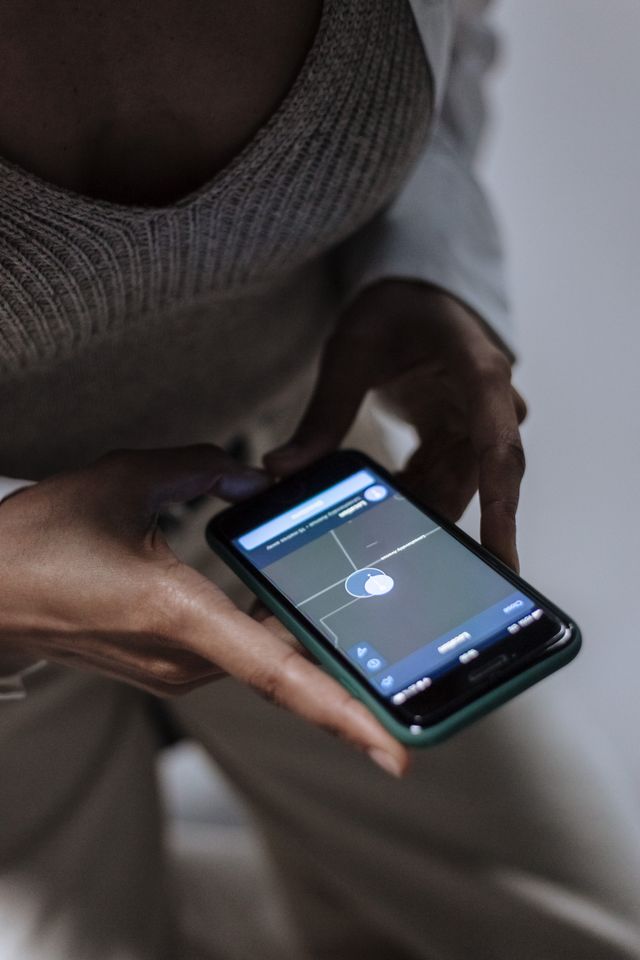
Your phone contains private information, including messages, photos, passwords, and location details. But what happens when someone accesses this information without your permission?
Spyware and tracking apps can let someone monitor your activity. Some tools can access your messages, location, microphone, and other private information.
Learning how to tell if your phone is tapped can help you notice suspicious activity and protect your privacy. Here are seven signs to watch for and steps you can take.
7 Signs Your Phone May Be Tracked or Tapped
One unusual phone problem does not prove that someone is spying on you. However, several unexplained changes may deserve closer attention.
1. Your Battery Drains Faster Than Usual
Spyware can run quietly in the background while collecting information. This activity may use extra battery power.
For example, your phone may lose charge quickly even when you are not using it.
However, old batteries, background apps, and software updates can also cause fast battery drain. Check which apps use the most power before concluding.
2. Your Phone Uses More Mobile Data
Some tracking apps send collected information to another device or online server. This may increase your mobile data use.
Check your phone’s data settings to see which apps consume the most data.
On Android, look under Settings > Network and Internet > App data usage. Menu names may differ between phone brands.
On iPhone, open Settings > Mobile Service and review app data usage.
An unfamiliar app using large amounts of background data deserves attention.
3. You Notice Apps You Did Not Install
Unknown apps may indicate that someone installed software without your knowledge.
Some monitoring tools use ordinary names to avoid attracting attention. Others may hide their icons.
Open your phone’s settings and review the complete list of installed apps. Pay attention to apps you do not remember installing, especially those with access to sensitive information.
Do not remove important system apps simply because their names look unfamiliar. Research them before making changes.
4. Your Camera or Microphone Activates Unexpectedly
Modern smartphones show privacy indicators when apps use the camera or microphone.
On many Android phones, a green indicator appears when either sensor is active. iPhones use a green dot for camera access and an orange dot for microphone access.
If an indicator appears when you are not using an app that needs these features, check which app accessed the sensor.
Open your privacy settings and review camera and microphone permissions.
For example, a calculator app should not normally need access to your microphone.
5. Someone Knows Your Location Without Your Permission
Unexpected knowledge of your movements can be a warning sign.
For example, someone may repeatedly know where you are even when you have not shared your plans.
However, this does not automatically mean your phone is tapped. You may have active location sharing through Google Maps, Find My, or another account.
Review your location-sharing settings and check which people and apps can see your location.
6. Your Phone Behaves Strangely During Calls
Unusual clicking, static, echoes, or dropped calls can make people suspect phone tapping.
However, these problems often come from poor network coverage, damaged hardware, or carrier issues.
Do not treat background noise as proof that someone is listening. Instead, check whether other warning signs are present.
Also remember that traditional carrier-level wiretapping may leave no obvious signs on your phone.
7. Your Phone Overheats or Restarts Without Warning
A phone that becomes hot while sitting unused may be running background processes.
Some spyware can use system resources while collecting information. This may affect battery life and device performance.
You may also notice unexpected restarts, slow performance, or apps opening without your input.
However, overheating can also result from faulty batteries, software problems, or demanding applications.
How to Tell If Phone Is Tapped: Checks You Can Perform
If you notice several warning signs, review your phone’s security settings.
On Android:
- Open Settings and review installed apps.
- Check the Privacy Dashboard for camera, microphone, and location access.
- Review Accessibility permissions and device administrator apps.
- Check which apps use mobile data in the background.
- Run a scan using a trusted mobile security app.
On iPhone:
- Open Settings and review installed apps.
- Check Privacy & Security for camera, microphone, and location permissions.
- Open Settings > General > VPN & Device Management and review unfamiliar profiles.
- Use Safety Check under Privacy & Security to review sharing and account access.
If you suspect someone has accessed your accounts, review the devices signed into your Apple or Google account.
Our guide to computer antivirus software explains how security tools help identify malicious software.
What Should You Do If Your Phone Is Being Tracked?
Start by protecting your personal information.
- Update your phone: Install the latest security updates available for your device.
- Review suspicious apps: Check unfamiliar apps and their permissions before removing anything.
- Secure your accounts: From a trusted device, change important passwords and enable two-factor authentication.
- Check location sharing: Remove sharing arrangements you do not recognize.
- Get a security scan: Use a reputable mobile security application.
If you believe an abusive partner or someone close to you installed monitoring software, be careful. Removing it or changing passwords may alert that person and put you at risk.
Use a different, trusted device to seek help before making changes. The Federal Trade Commission’s guide to stalkerware explains these safety concerns.
You can also read our guide to how VPNs work and online privacy to understand other ways to protect your online activity.
The Bottom Line
Learning how to tell if your phone is tapped starts with watching for unusual changes in battery use, data consumption, installed apps, and privacy settings.
Remember that these signs do not prove spying. Check your phone carefully, secure your accounts, and seek trusted help if you believe someone is monitoring you.
Frequently Asked Questions
Can someone track my phone without touching it?
Some advanced spyware can exploit software weaknesses without requiring someone to handle your phone. However, a more common risk is monitoring software installed by someone who previously had access to the device or its accounts.
Does a code tell me if my phone is tapped?
No single dial code can confirm that your phone is being monitored. Some codes display call-forwarding settings, but they cannot detect spyware, microphone access, or location tracking.
Will a factory reset remove spyware?
A factory reset can remove many ordinary spyware apps, but it may not solve every problem. Someone who still has access to your Apple or Google account may continue tracking your information through account sharing or other connected devices.





What Does the Green Dot Mean on Snapchat Profile?
If you are wondering what the green dot means on a Snapchat...
 Zahra_Alialiali6 Mins read
How to Flush DNS Cache on Windows, Mac, and Chrome
Have you ever tried opening a website only to find that it...
Beatriz4 Mins read

COPE Cyber Security: What Is Corporate-Owned Personally-Enabled?
COPE in cyber security stands for Corporate-Owned, Personally-Enabled. It is a mobile...
Zahra_Alialiali6 Mins read
How to Set Up a Wi-Fi Extender in 5 Minutes (Any Brand)
A weak Wi-Fi signal can make simple tasks frustrating. You may struggle...
Beatriz5 Mins read




Leave a comment