

HRMS Globex Login, Password Reset & Employee Portal Help
 Hamza RiazNovember 12, 20269 Mins read40
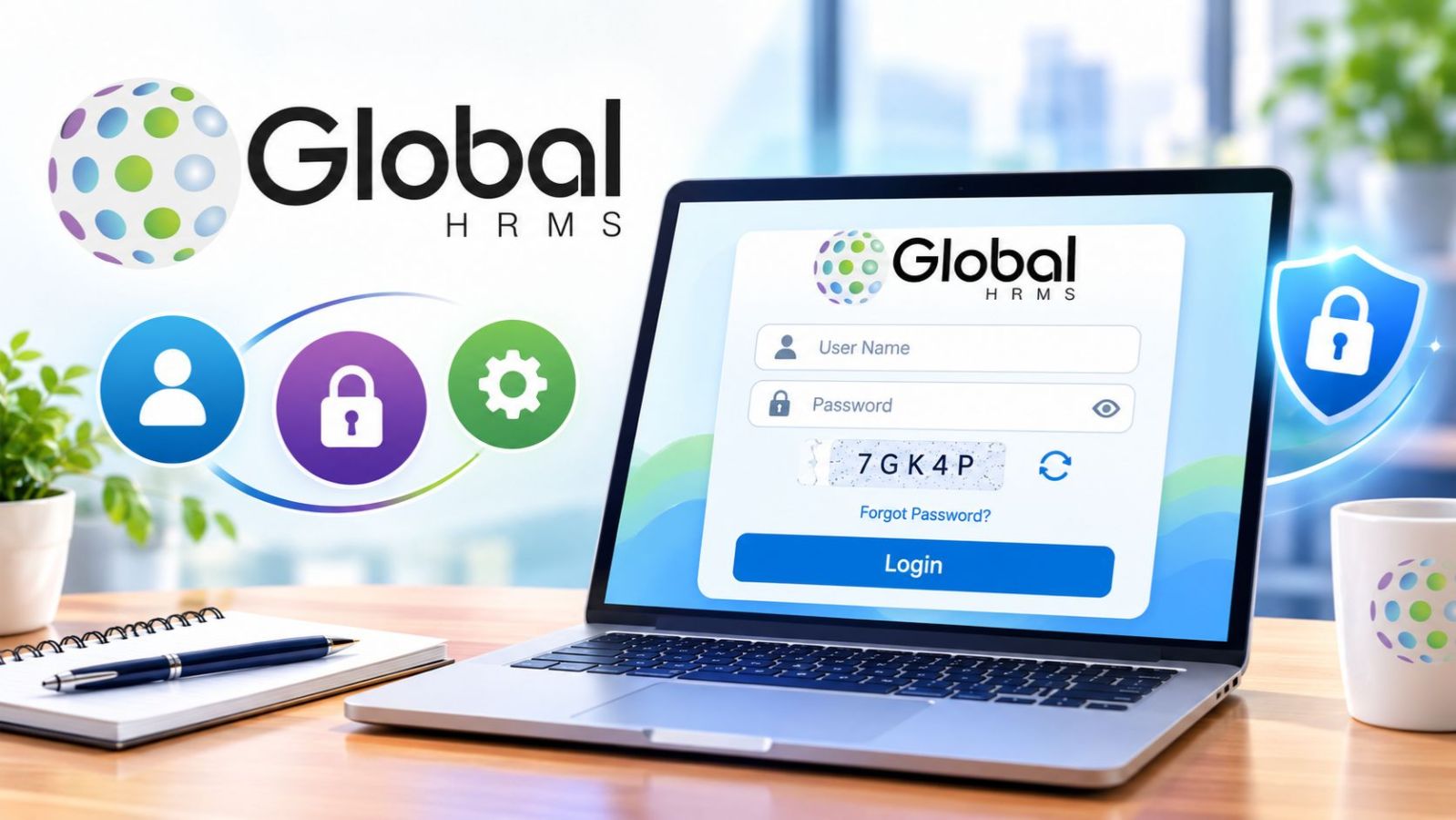
Trying to access an employee portal can become frustrating quickly when the login page, password recovery, Employee Code, and similar-looking websites all create uncertainty. A wrong username can block access, a forgotten Employee Code can stop password recovery, and entering workplace credentials on the wrong website can create a security risk.
A direct review of the public HRMS Globex login and password-recovery pages confirmed that hrms.theglobex.com currently asks for a User Name, Password, and CAPTCHA, while password recovery begins with an Employee Code and CAPTCHA. Historical HRMS documents were also reviewed to separate documented performance-review and appraisal functions from features that are only claimed by third-party websites.
HRMS Globex login
The login page includes:
https://hrms.theglobex.com/Web/Default.aspx
The page currently asks for:
- User Name
- Password
- CAPTCHA
It also includes a Forgot password? option below the login form.
How to log in to HRMS Globex
Follow these steps:
- Open the HRMS portal approved by your employer.
- Enter your User Name.
- Enter your Password.
- Type the CAPTCHA shown on the screen.
- Refresh the CAPTCHA if it is difficult to read.
- Submit the login form.
If your credentials are accepted, the portal should open the sections available to your account. The CAPTCHA changes, so enter the characters shown on your own screen each time.
What you need before logging in
You should have the User Name and Password assigned to your HRMS account. The login page uses the term User Name, while the password-recovery page asks for an Employee Code, so these details should not be assumed to be the same.
If you are unsure about your login name, portal address, or account status, confirm the information with HR or IT before entering workplace credentials.
Can you create an HRMS Globex account yourself?
The current login page does not show a Sign Up, Create Account, or public self-registration option. Employees who need an account, activation, or login details should contact HR, IT, or the system administrator.
A new employee should use the access details supplied by the employer rather than trying to create credentials through another website.
HRMS Globex at a glance
| Detail | What is publicly confirmed |
|---|---|
| Portal | hrms.theglobex.com |
| Login requirements | User Name, Password, CAPTCHA |
| Password recovery | Employee Code + CAPTCHA |
| Public account registration | No sign-up option visible |
| Performance reviews | Documented in historical HRMS guides |
| Employee self-review | Documented historically |
| Manager/appraiser review | Documented historically |
| Appraisal letters | Documented historically |
| Payroll dashboard | Not publicly confirmed |
| Salary-slip download | Not publicly confirmed |
| Current leave module | Not publicly confirmed |
| Dedicated mobile app | Not publicly confirmed |
| Public pricing | Not shown on the employee portal |
| Last checked | November 12, 2026 |
What is HRMS Globex?
HRMS stands for Human Resource Management System. Companies use HR systems to manage employee records and workplace processes through online accounts.
For HRMS Globex, the strongest public evidence points to an employee-facing HR portal. Historical documents show different responsibilities for employees, reporting leads, and Heads of Department during performance reviews.
The exact sections visible after login may depend on the employer, employee role, account permissions, and the HR process taking place.
How to reset your HRMS Globex password
The login page includes a Forgot password? option. The current recovery page asks for an Employee Code and CAPTCHA before the user can continue.
Password recovery steps
- Open the HRMS Globex login page.
- Select Forgot password?
- Enter your Employee Code.
- Complete the CAPTCHA.
- Submit the form.
- Follow the next instructions shown by the portal.
The public recovery page does not show what happens after submission, so users should follow the instructions displayed by the portal instead of assuming every account uses email, OTP, or a specific reset link.
What if you do not know your Employee Code?
Contact your employer’s HR or IT team. They can confirm which Employee Code belongs to your account and whether your access is active.
Avoid guessing several codes or sharing private employment details with an unrelated website. Account-specific information should come from your employer or an authorized administrator.
What can you do in HRMS Globex?
Several third-party articles describe payroll, attendance, leave, recruitment, employee self-service, and other HR functions under the HRMS Globex name. Public evidence is stronger for some features than others.
| Function | Evidence status |
|---|---|
| Username and password login | Confirmed on current portal |
| CAPTCHA verification | Confirmed on current portal |
| Password recovery | Confirmed on current portal |
| Employee Code during recovery | Confirmed on current portal |
| Performance Management System | Documented historically |
| Employee self-review | Documented historically |
| Reporting-lead review | Documented historically |
| Final HOD review | Documented historically |
| Appraisal-letter viewing | Documented historically |
| Review acceptance | Documented historically |
| Payroll module | Not publicly confirmed |
| Salary-slip download | Not publicly confirmed |
| Current leave-management module | Not publicly confirmed |
| Recruitment module | Not publicly confirmed |
| Learning-management system | Not publicly confirmed |
| AI or machine-learning tools | Not publicly confirmed |
| Dedicated mobile app | Not publicly confirmed |
A feature that cannot be confirmed publicly may still exist inside an authenticated account. The public login page shows only a small part of the system, so current access can depend on the employer’s setup and user permissions.
HRMS Globex Performance Management System
Historical HRMS documents give the clearest evidence for performance management. A 2018 guide describes a 3-stage review process:
- Self Review
- Appraiser Review
- Reviewer Comment
Employees completed their own review first. Reporting leads then reviewed team members after a one-on-one discussion, and the HOD completed the final stage. The same guide says unfinished reviews could be saved as drafts and completed later.
In that 2018 workflow, employees could not make further changes after selecting Complete Review. Current users should check the instructions shown in their account before final submission.
Performance areas used in the historical PMS
The 2018 guide lists several review areas.
Production analysis included:
- Efficiency
- Quality
- Attendance
Other review areas included:
- Ownership
- Verbal communication
- Email communication
- Client satisfaction
- Domain knowledge
- Technical skills
- Presentation skills
- Meeting deadlines or commitments
- Steadiness under pressure
- Time management
The guide also says month-wise efficiency, quality, and attendance data could be added automatically during the review process. These criteria come from an older PMS cycle, so current review forms may use different measures.
HRMS Globex appraisal letters
A separate HRMS document from July 2021 explains how employees in the July 2020 to June 2021 review cycle could view and accept appraisal letters through HRMS. The document shows that employees were asked to enter their HRMS password when confirming acceptance.
If an appraisal letter did not appear, the guide directed eligible employees to contact their manager or HR. Current review dates and eligibility rules may differ, so employees should follow the instructions shown in their account.
The 2021 guide also treated appraisal-letter content as confidential and instructed employees not to share or discuss it with unauthorized people.
Payroll, salary slips, attendance, and leave
Several third-party articles describe HRMS Globex as supporting payroll, salary slips, attendance, and leave management. The current public portal does not expose enough information to confirm every one of these features directly.
Employees who see these sections after login should follow the instructions inside their account. If a feature is missing, HR or payroll can confirm whether the account has access.
Payroll and salary slips
The public login and recovery pages do not show a payroll or salary-slip section. The 2021 appraisal document does contain compensation-related information, which confirms that salary data appeared in that historical appraisal process.
This does not confirm a current payslip-download process for every account. Employees who need a salary slip should check the authenticated dashboard or contact payroll or HR.
Attendance
Attendance has stronger historical support. The 2018 PMS guide lists Attendance as part of production analysis and says month-wise attendance information could be added automatically during performance reviews.
The public sources reviewed do not show the current attendance dashboard, clock-in process, or correction controls.
Leave management
Leave management appears in several third-party articles, but the public pages and historical documents reviewed here do not confirm the exact current leave-request process.
Employees who see a leave section after login should follow the instructions shown in their account. HR can confirm leave balances, approval rules, and access problems.
Does HRMS Globex have a mobile app?
Public sources reviewed for this guide do not confirm a standalone HRMS Globex app for Android or iOS. Some third-party articles mention mobile access, but they do not provide enough evidence to confirm an official app-store listing.
The portal is accessed through a web address, but public documentation does not list supported mobile browsers, device requirements, or whether every dashboard function works properly on a phone. Employees who need mobile access should follow the instructions supplied by their employer.
If your workplace uses an app, use the installation link or app-store listing provided by HR or IT. Avoid downloading unknown APK files from unrelated websites.
Common login problems and fixes
Most login issues can be checked using the information already shown on the login and recovery pages.
| Problem | What to do |
|---|---|
| User Name is rejected | Check the username issued by HR or IT |
| Password does not work | Check Caps Lock and use Forgot password if needed |
| CAPTCHA is unclear | Use the refresh control |
| CAPTCHA is rejected | Enter the new characters carefully |
| Employee Code is unknown | Contact HR or your system administrator |
| Password recovery fails | Ask HR or IT to check the account |
| PMS option is missing | Check your review eligibility with HR |
| Appraisal letter is missing | Contact your manager or HR |
| Portal does not load | Check your connection, reload the page, and ask IT about any outage |
If the problem continues after checking the basic details, contact HR or IT. They can see account information, permissions, and service issues that are not visible from the public portal.
How to check that you are using the right portal
HR portals can contain private employment information, so check the domain before entering a username, password, Employee Code, or other account details. The publicly accessible login page reviewed for this guide is hosted at hrms.theglobex.com, and its recovery page stays under the same domain.
Fake login pages can collect usernames and passwords from employees who think they are using a real workplace service. This guide to credential theft prevention explains how stolen credentials, fake login pages, and password reuse can put accounts at risk.
Use the HRMS link supplied or confirmed by your employer whenever possible. If an unexpected email or message sends you to a different login page, check the link with HR or IT first. The guide to phishing warning signs explains common signs of fake messages and suspicious login links.
Use these basic checks:
- Confirm the HRMS address with HR or IT.
- Check the domain before typing your password.
- Avoid entering credentials on an article, blog, or unrelated website.
- Do not send your password to someone who contacts you unexpectedly.
- Sign out when using a shared computer.
- Report suspicious login links to your employer.
HRMS.theglobex.com vs. HRMSGlobex.com
Search results may show 2 similar web addresses.
| Website | What its public pages show |
|---|---|
hrms.theglobex.com | Employee login, CAPTCHA, password recovery, historical HRMS documents |
hrmsglobex.com | A separate website describing HR software services |
hrmsglobex.com describes HR software functions such as payroll, attendance, leave, performance, recruitment, and employee information. Public material reviewed for this article does not establish a corporate or technical connection between that site and hrms.theglobex.com.
Employees should use the login address supplied by their workplace rather than relying on similar website names.
Who is associated with HRMS Globex?
The 2021 appraisal document hosted on the HRMS domain identifies Global Healthcare Billing Partners Pvt Ltd and describes an employee appraisal process carried out through HRMS. This provides historical evidence that the organization used the system during that review period.
The document does not establish who developed the software, who owns every website using the HRMS Globex name, or whether the platform is currently sold to outside companies.
Pricing and public availability
The employee portal does not show public subscription plans, per-employee pricing, a free trial, a sales-demo form, or public business registration. Its public pages focus on employee authentication and password recovery.
Companies looking for commercial HR software should confirm pricing and purchasing details directly with the relevant provider instead of relying on unverified figures from third-party articles.
FAQs
What is the HRMS Globex login website?
The publicly accessible login page reviewed for this guide is hrms.theglobex.com. It currently asks for a User Name, Password, and CAPTCHA. Use the link confirmed by your employer for workplace access.
How do I reset my HRMS Globex password?
Select Forgot password?, enter your Employee Code and CAPTCHA, then follow the next instructions shown by the portal.
What is an Employee Code in HRMS Globex?
The current password-recovery page asks for an Employee Code. The login page uses a User Name, so users should not assume these are the same. Ask HR or the system administrator if you do not know your code.
Can I download a salary slip from the portal?
Some third-party articles report salary-slip access, but a current salary-slip download feature cannot be confirmed from the public portal. Check your account or contact payroll or HR.
Does HRMS Globex have an app?
A verified standalone Android or iOS app could not be confirmed from the public sources reviewed. Use any mobile-access instructions supplied by your employer.
Is HRMS Globex safe to use?
The public login page uses HTTPS and requires a User Name, Password, and CAPTCHA, but these visible details do not prove the full security of the platform. Use the HRMS address confirmed by your employer and avoid entering workplace credentials through unexpected links.
Conclusion
Reviewing the public HRMS Globex login and recovery pages alongside the historical PMS and appraisal documents makes the current picture much clearer. The public pages confirm the User Name, Password, CAPTCHA, and Employee Code recovery process, while first-party historical documents provide evidence for earlier performance reviews and appraisal letters. Current payroll, payslip, leave, and mobile-app features remain harder to verify from public sources.
For employees dealing with a failed login, missing appraisal, unknown Employee Code, or unfamiliar HRMS link, the employer’s HR or IT team remains the best source for account-specific help. The practical lesson from reviewing the public portal and first-party historical documentation is simple: use the employer-confirmed login address, follow current account instructions, and separate documented HRMS functions from claims made by third-party websites.








Ransomware Recovery Plan: Complete Guide
Ransomware can disrupt business operations, encrypt important files, and prevent employees from...
 Zahra_Alialiali6 Mins read
Microsoft Outage: What It Means for Businesses and Institutions
Imagine arriving at work, opening your computer, and discovering that you cannot...
 Beatriz4 Mins read
3 Ways Small Businesses Can Protect Against Digital Risks
Running a small business means handling many responsibilities. You manage customers, payments,...
Beatriz4 Mins read

CVE vs CWE: What’s the Difference?
Cybersecurity teams use many systems to identify and describe security problems. Two...
Zahra_Alialiali5 Mins read



Leave a comment