

What Is a Keylogger? 5 Signs One Is Running on Your PC
 BeatrizNovember 24, 20264 Mins read25
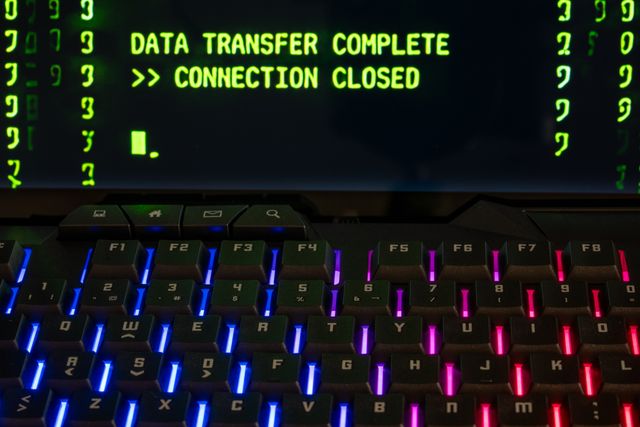
Imagine logging into your email, checking your bank account, or sending a private message. Someone else could be recording every key you press without your knowledge.
That is what a keylogger can do. It can quietly collect passwords, messages, financial details, and other information you type.
The danger is that many keyloggers run in the background. You may not notice anything unusual until someone uses your stolen information.
Here is what a keylogger is and five signs that one could be running on your PC.
What Is a Keylogger?
A keylogger is a tool that records the keys you press on a keyboard. It can capture usernames, passwords, messages, and other sensitive information.
Some keyloggers are legitimate monitoring tools used with proper permission. However, cybercriminals use malicious versions to spy on people and steal private information.
There are two main types:
- Software keyloggers: These are programs installed on a computer. They can hide in the background and record what you type.
- Hardware keyloggers: These are physical devices connected between a keyboard and a computer. Some look like small USB adapters.
A cybercriminal might install a software keylogger through a fake email attachment, malicious download, or unsafe program. Cracked software can also carry hidden threats.
According to Microsoft, some keyloggers can collect sensitive information and send it to attackers. Microsoft explains how keyloggers work.
5 Signs a Keylogger May Be Running on Your PC
These warning signs do not prove that your computer has a keylogger. Other software and hardware problems can cause similar behavior. However, several unusual changes happening together deserve attention.
1. Your Computer Becomes Unusually Slow
A sudden drop in performance may indicate that unwanted software is running in the background.
For example, your computer may take longer to start, open programs slowly, or freeze while you type. A malicious keylogger may use system resources while recording your activity.
However, low storage, outdated software, and too many open programs can also slow down a PC.
2. You Notice Unknown Programs Running
A keylogger may appear as an unfamiliar background process or startup program.
Open Task Manager by pressing Ctrl + Shift + Esc. Select the Processes tab and review the programs using your computer’s resources.
Also check the Startup apps section for unfamiliar entries.
Do not delete every program you do not recognize. Some important Windows processes have unusual names. Search for an unfamiliar program before taking action.
3. Your Keyboard Responds Slowly
Another possible warning sign is unusual typing behavior.
You might notice delays between pressing a key and seeing the letter appear on your screen. Some applications may also freeze when you enter information.
For example, typing a password into a login page may feel slower than usual.
A keylogger is not always responsible. An old keyboard, faulty USB connection, or heavy computer workload can cause similar problems.
4. Your Internet Activity Looks Unusual
Some malicious keyloggers send recorded information to a remote server.
You may notice internet activity when you are not browsing, downloading files, or using online applications.
For example, your computer may continue sending data even when you have closed your browser.
Background updates and cloud services also use internet connections. Unusual network activity alone does not confirm a keylogger infection.
5. Your Antivirus Shows Strange Alerts
Security warnings deserve attention, especially when they mention spyware, keylogging, or other unwanted software.
You may also notice that your antivirus stops working, turns off unexpectedly, or cannot complete a scan.
Do not ignore these warnings. Open your security software directly and check its protection history.
If you want to understand how these tools protect your computer, read our guide to computer antivirus software.
What Should You Do If You Suspect a Keylogger?
Take these steps if you notice several warning signs or your security software detects a threat.
- Disconnect from the internet: Turn off Wi-Fi or unplug your network cable if you suspect an active infection.
- Run a security scan: Update a trusted antivirus program and perform a full system scan. Use an offline scan if your security software offers one.
- Review installed programs: Check unfamiliar applications and browser extensions. Research them before removing anything.
- Change important passwords: Use another trusted device to change your email, banking, and other important passwords. Enable multi-factor authentication where possible.
- Check your accounts: Look for unknown logins, messages, password changes, or financial transactions.
If you suspect that someone has stolen your login details, our guide to credential theft prevention explains more ways to protect your accounts.
If the infection remains, contact a trusted computer technician. A clean Windows installation may be necessary when security tools cannot remove the threat.
How to Protect Your PC From Keyloggers
Good security habits can reduce your risk.
- Download software from official websites.
- Avoid cracked programs and suspicious attachments.
- Keep Windows, browsers, and security tools updated.
- Do not open unexpected links in emails or messages.
- Use strong, unique passwords for important accounts.
- Enable multi-factor authentication.
- Check physical USB connections for unfamiliar devices.
For more advice, read our guide on how to protect yourself from QR code scams. Malicious links and fake websites can expose you to other online threats.
Bottom Line
A keylogger can secretly record what you type and expose your private information. Slow performance, unfamiliar programs, typing delays, unusual internet activity, and antivirus warnings may indicate a problem.
However, these signs do not prove that a keylogger is present. Use trusted security software to investigate suspicious activity.
If you suspect an infection, secure your accounts from another device and remove the threat before using the affected PC for sensitive activities.
Frequently Asked Questions
Can a keylogger steal my passwords?
Yes. A malicious keylogger can record passwords as you type them. Some can also collect private messages and financial information.
Can Windows Defender detect a keylogger?
Microsoft Defender can detect and remove many known keylogger threats. However, no antivirus tool can guarantee detection of every threat.
Can a keylogger work without an internet connection?
Yes. Some keyloggers store recorded information on the computer and send it later when an internet connection becomes available.
Can a keylogger be installed without my knowledge?
Yes. Some keyloggers arrive through malicious downloads, fake attachments, or unsafe software. Hardware keyloggers may also be connected to a computer without the owner’s knowledge.





How to Turn Off Location Tracking on iPhone and Android
Your smartphone can reveal more about your daily life than you may...
Beatriz4 Mins read

How to Block Spam Calls and Texts on iPhone and Android
Spam calls and unwanted messages can interrupt your day and expose you...
Beatriz4 Mins read

What Does the Green Dot Mean on Snapchat Profile?
If you are wondering what the green dot means on a Snapchat...
 Zahra_Alialiali6 Mins read

How to Tell If Your Phone Is Being Tracked or Tapped (7 Signs)
Your phone contains private information, including messages, photos, passwords, and location details....
Beatriz4 Mins read





Leave a comment