

Threat Intelligence Platforms: Complete Guide
 Zahra_AlialialiOctober 2, 20268 Mins read44
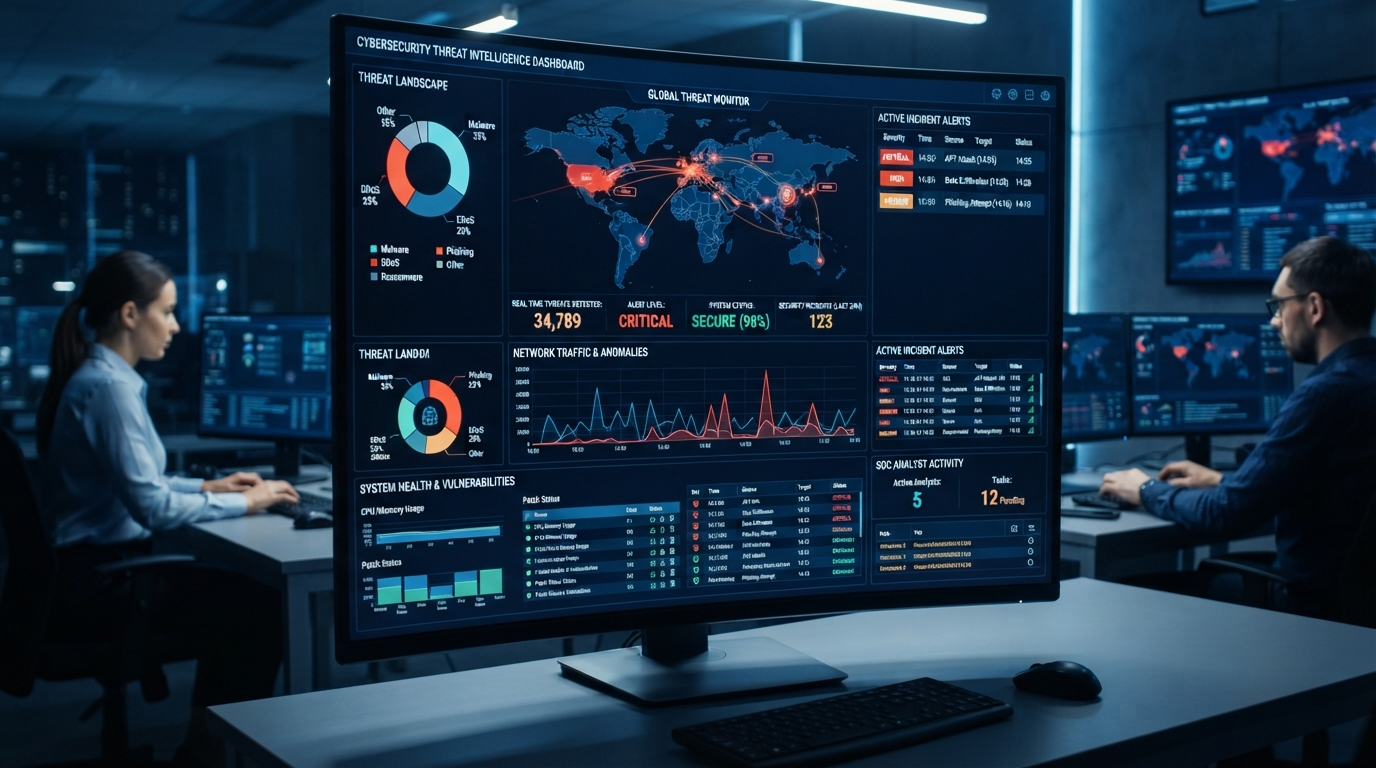
Modern security teams deal with enormous amounts of cybersecurity information. New vulnerabilities appear every day, attackers change their infrastructure, malware campaigns evolve, and organizations generate thousands of security alerts.
Raw information alone does not provide enough protection. Security teams need technology that can collect threat data, organize it, enrich it with context, and make it easier to use.
This is where threat intelligence platforms can help.
Threat intelligence platforms bring threat information together from multiple sources and help security teams analyze and operationalize that intelligence. Depending on the platform, capabilities may include threat-feed management, indicator enrichment, investigation workflows, integrations, intelligence sharing, and automated actions.
Organizations can also combine these platforms with what is cyber threat intelligence concepts to understand how raw threat information becomes useful security intelligence.
This guide explains how threat intelligence platforms work, their key features, integrations, benefits, limitations, and what organizations should consider when selecting one.
What Are Threat Intelligence Platforms?
Threat intelligence platforms are security technologies designed to collect, organize, analyze, and distribute information about cyber threats.
A platform can bring together information from sources such as:
- Threat intelligence feeds
- Security researchers
- Vulnerability databases
- Malware analysis
- Internal security systems
- Open-source intelligence
- Industry reports
Instead of forcing analysts to manually review every source, a platform can centralize relevant information.
The result is a more structured view of potential threats.
For example, an analyst investigating a suspicious IP address may use a threat intelligence platform to find information about its reputation, associated domains, previous activity, and other available indicators.
How Do Threat Intelligence Platforms Work?
Although capabilities vary between products, most platforms follow a similar workflow.
Data Collection
The platform gathers information from multiple sources.
Data may include:
- IP addresses
- Domains
- URLs
- File hashes
- Vulnerabilities
- Malware information
- Threat actor information
- Attack techniques
Internal sources can also contribute valuable information.
For example, a company’s security tools may identify suspicious activity that can be added to its intelligence workflow.
Data Enrichment
Raw indicators often lack sufficient context.
Enrichment adds information that can help analysts understand an indicator.
For example, an IP address may be enriched with:
- Reputation information
- Geographic information
- Related domains
- Historical activity
- Associated malware
- Previous observations
This context helps analysts determine whether an indicator deserves further investigation.
Threat Analysis
Analysts can investigate relationships between indicators and security events.
A platform may help connect:
- IP addresses
- Domains
- Malware
- Threat actors
- Campaigns
- Vulnerabilities
These relationships can help security teams understand broader attack activity instead of examining individual indicators in isolation.
Intelligence Sharing
After analysis, useful intelligence can be shared with other security systems or teams.
For example, intelligence may be sent to:
- SIEM platforms
- EDR systems
- Firewalls
- SOAR platforms
- Security analysts
This allows intelligence to influence actual security operations.
Key Features of Threat Intelligence Platforms
Different products offer different capabilities, but organizations should understand the most common features.
Threat Feed Management
Platforms can consolidate multiple threat feeds into one environment.
This can reduce the need for analysts to manually check numerous sources.
Indicator Management
Security teams can organize and investigate indicators such as:
- IP addresses
- Domains
- URLs
- File hashes
Analysts can also track whether indicators remain relevant.
Threat Enrichment
Enrichment provides additional information about indicators.
This can help analysts move from:
“This IP address is suspicious.”
to:
“This IP address has been associated with several suspicious domains and previous malicious activity.”
Relationship Mapping
Some platforms visualize relationships between different indicators and entities.
For example, an analyst may discover that several domains are connected to the same infrastructure.
Search and Investigation
Fast search capabilities help analysts investigate suspicious indicators and connect them with existing intelligence.
Automated Workflows
Some platforms automate repetitive tasks such as:
- Enriching indicators
- Creating alerts
- Updating records
- Sending intelligence to security tools
Automation can reduce repetitive analyst work.
Types of Threat Intelligence Platforms
Threat intelligence platforms can differ significantly in their focus.
Commercial Intelligence Platforms
These platforms typically provide access to proprietary intelligence, enrichment data, research, and security integrations.
They may be useful for organizations that need extensive intelligence coverage and professional support.
Open-Source Intelligence Platforms
Some platforms focus heavily on publicly available intelligence.
They can help security teams collect and organize information from public sources.
However, analysts should verify the quality and reliability of open-source information before using it for important security decisions.
Threat Intelligence Management Platforms
These platforms focus on organizing intelligence, managing indicators, tracking relationships, and supporting analyst workflows.
Integrated Security Platforms
Some broader security products incorporate threat intelligence capabilities alongside technologies such as SIEM, XDR, or SOAR.
The distinction between product categories can vary between vendors, so organizations should evaluate capabilities rather than relying only on product labels.
Threat Intelligence Platform Integrations
Integration is one of the most important considerations when evaluating a platform.
A threat intelligence platform becomes more useful when intelligence can move into the organization’s existing security environment.
SIEM Integration
SIEM platforms collect and analyze security events.
Threat intelligence can add context to those events.
For example, a SIEM may detect communication with a suspicious domain. The threat intelligence platform can provide additional information about that domain.
Security teams can then investigate the event with more context.
Organizations can also connect threat intelligence with their existing cybersecurity software to improve detection and investigation workflows.
EDR and XDR Integration
Endpoint and extended detection platforms can use threat intelligence to identify known malicious indicators.
This can help analysts investigate:
- Suspicious files
- Malicious connections
- Unusual processes
- Known attack infrastructure
SOAR Integration
Security Orchestration, Automation, and Response platforms can use threat intelligence to automate approved security workflows.
For example, a workflow could:
- Receive a suspicious indicator.
- Query threat intelligence.
- Enrich the indicator.
- Determine whether it meets predefined criteria.
- Create an investigation.
- Trigger an approved response.
Automation should still include appropriate safeguards because incorrect intelligence can lead to unnecessary blocking or disruption.
Firewall and Network Security Integration
Firewalls and network-security technologies can use threat intelligence to identify suspicious infrastructure.
Depending on the environment, teams may use intelligence to support:
- Domain blocking
- IP blocking
- Network monitoring
- DNS security
Threat Intelligence Platforms vs Threat Feeds
These terms are related but not identical.
A threat feed provides information such as:
- Malicious IP addresses
- Domains
- URLs
- File hashes
A threat intelligence platform provides a broader environment for managing and analyzing that information.
A platform may combine multiple feeds, enrich indicators, correlate relationships, and distribute intelligence to other security tools.
Therefore, a feed can be one source of information, while the platform provides the infrastructure for using that information.
Threat Intelligence Platforms vs SIEM
SIEM and threat intelligence platforms serve different primary purposes.
A SIEM focuses on collecting and analyzing security events and logs.
A threat intelligence platform focuses on managing and analyzing information about cyber threats.
They can work together.
For example:
Threat intelligence → provides context → SIEM event → analyst investigation
This combination can help analysts understand whether a security event has a connection to known malicious infrastructure or attack activity.
Benefits of Threat Intelligence Platforms
Centralized Intelligence
Security teams can manage information from multiple sources in one environment.
Faster Investigations
Enrichment and relationship data can reduce the time analysts spend searching manually.
Better Context
Indicators become more useful when analysts can see related information.
Improved Detection
Threat intelligence can strengthen detection rules and security controls.
Better Collaboration
Analysts can share relevant intelligence with other teams.
Automation
Automated enrichment and workflows can reduce repetitive tasks.
Challenges of Threat Intelligence Platforms
Threat intelligence platforms also have limitations.
Too Much Data
More intelligence does not necessarily mean better security.
Large volumes of low-value indicators can overwhelm analysts.
False Positives
Not every indicator is malicious.
Organizations need processes for validating intelligence before taking disruptive actions.
Data Quality
Different feeds can have different levels of accuracy, freshness, and coverage.
Integration Complexity
Connecting a platform to existing security tools may require technical work and ongoing maintenance.
Cost
Commercial platforms can involve licensing, integration, and operational costs.
Organizations should evaluate total value rather than choosing a platform based only on the number of feeds it offers.
How to Choose a Threat Intelligence Platform
Organizations should start by identifying their actual requirements.
Determine Your Use Cases
Ask what you want the platform to accomplish.
Possible use cases include:
- Threat research
- Indicator enrichment
- Incident response
- Threat hunting
- Vulnerability prioritization
- Security monitoring
Evaluate Data Quality
Ask:
- Where does the intelligence come from?
- How frequently is it updated?
- How is it validated?
- How much historical information is available?
Check Integrations
Verify compatibility with existing:
- SIEM
- EDR/XDR
- SOAR
- Firewalls
- Ticketing systems
Consider Automation
Look at which repetitive activities the platform can automate.
Evaluate Usability
Security analysts should be able to search, investigate, and understand intelligence efficiently.
Consider Scalability
The platform should support the organization’s current requirements while leaving room for future growth.
Threat Intelligence Platform Best Practices
Organizations can improve their results by following several practices.
- Define clear intelligence requirements.
- Use multiple reliable sources.
- Remove outdated indicators.
- Validate important intelligence.
- Integrate intelligence with security tools.
- Prioritize relevant threats.
- Automate repetitive enrichment.
- Document investigation processes.
- Measure analyst performance.
- Regularly review intelligence sources.
Security teams should also connect intelligence to business context.
An indicator associated with a critical production system may require more attention than one unrelated to the organization’s environment.
Common Mistakes
Buying a Platform Without Clear Objectives
Technology cannot solve a problem that has not been defined.
Measuring Success by the Number of Indicators
A huge database does not necessarily provide useful intelligence.
Ignoring Internal Intelligence
Organizations should combine external information with their own security events.
Failing to Remove Outdated Data
Old indicators can create false positives and unnecessary investigation work.
Automating Every Response
Security teams should carefully evaluate automated blocking and remediation.
Threat Intelligence Platform Checklist
Before selecting a platform, ask:
- Does it support our security use cases?
- Can it integrate with our SIEM?
- Does it integrate with EDR/XDR?
- Can it connect with SOAR?
- How are intelligence sources validated?
- How quickly are indicators updated?
- Can analysts investigate relationships?
- Does it provide useful enrichment?
- Can we automate repetitive tasks?
- Can the platform scale?
- Does it provide appropriate reporting?
- What are the licensing and operational costs?
Future of Threat Intelligence Platforms
Threat intelligence platforms will continue evolving as organizations generate more security data.
Artificial intelligence may help platforms:
- Correlate indicators
- Identify patterns
- Prioritize intelligence
- Summarize investigations
- Detect relationships
- Reduce repetitive analyst work
Threat intelligence will also increasingly connect with cloud security, identity protection, attack surface management, and automated detection.
This broader integration can help security teams understand not just whether an indicator is malicious but whether it represents a meaningful risk to their specific environment.
Conclusion
Threat intelligence platforms help organizations turn large amounts of cyber threat information into usable security intelligence.
They can collect threat feeds, enrich indicators, connect related information, support investigations, and distribute intelligence to systems such as SIEM, EDR, XDR, and SOAR platforms.
However, organizations should focus on intelligence quality and practical outcomes rather than simply collecting more data. Clear requirements, reliable sources, effective integrations, and skilled analysts remain essential.
Combining threat intelligence with continuous threat exposure management can also help organizations connect threat information with vulnerabilities, assets, and real-world exposure.
Ultimately, a threat intelligence platform is most useful when it helps security teams make faster, better-informed decisions and turn intelligence into measurable defensive action.
FAQs
What are threat intelligence platforms?
Threat intelligence platforms are security technologies that collect, organize, analyze, enrich, and distribute information about cyber threats.
What does a threat intelligence platform do?
It can consolidate threat feeds, enrich indicators, support investigations, identify relationships, and share intelligence with security tools.
What is the difference between a threat feed and a threat intelligence platform?
A threat feed provides threat information, while a threat intelligence platform provides tools for managing, enriching, analyzing, and operationalizing that information.
Can threat intelligence platforms integrate with SIEM?
Yes. Many platforms can integrate with SIEM systems to provide additional context for security events and help analysts investigate suspicious activity.
Do threat intelligence platforms work with EDR?
Many platforms can integrate with EDR and XDR technologies to provide intelligence about malicious files, infrastructure, and attack activity.
Are threat intelligence platforms useful for small businesses?
They can be useful when a business has a genuine need for structured threat intelligence. However, organizations should consider their security requirements, available staff, and budget before adopting a dedicated platform.
How do threat intelligence platforms use AI?
AI can help analyze large datasets, identify relationships, prioritize information, summarize investigations, and detect patterns that may be difficult to identify manually.
What should I look for in a threat intelligence platform?
Consider data quality, intelligence sources, integrations, enrichment capabilities, automation, usability, scalability, reporting, and total operational cost.






Cloud Access Security Broker: Complete Guide
Cloud applications have become essential for modern businesses. Employees use SaaS platforms...
Zahra_Alialiali8 Mins read
Cloud Workload Protection Platform: Complete Guide
Cloud computing has changed how organizations build, deploy, and manage applications. Businesses...
Zahra_Alialiali7 Mins read

SOAR Security Explained: A Beginner’s Guide
Security operations teams often manage many different tools at the same time....
Zahra_Alialiali7 Mins read

Security Orchestration Automation and Response
Security teams often use dozens of cybersecurity tools to protect an organization....
Zahra_Alialiali7 Mins read





Leave a comment